

Description
Download kimi chat APK – AI assistant, intelligent search, file interpretation, productivity tool, creative support
Overview
kimi chat is an AI-powered desktop application designed to streamline information processing and enhance user productivity. The software functions as a versatile assistant, supporting real-time information searches, rapid document comprehension, and efficient material organization. It is tailored for users who manage large volumes of data, including researchers, writers, students, and professionals in knowledge-intensive fields. The tool enables users to extract insights from diverse file formats, aiding in decision-making and project development. While it does not generate original content independently, it provides intelligent support by summarizing, interpreting, and structuring information. This makes it particularly useful in workflows requiring quick access to accurate data, such as report writing, academic research, or content planning. The app is built around the principle of user empowerment—offering tools that reduce manual effort and improve workflow efficiency. Real-world usage scenarios include summarizing lengthy reports, identifying key points in research papers, organizing project materials, and generating structured outlines. Despite its robust feature set, new users may find the breadth of capabilities initially overwhelming. The developer did not provide additional system requirements. Performance observations are based on general software behavior patterns.
Key Features & Capabilities
- Real-time Information Search – Access up-to-date data across the web through integrated search functions, enabling users to stay informed on current topics without leaving the application.
- Speed-Reading Engine – Analyze lengthy documents, articles, or reports quickly by extracting core ideas and summarizing content in a concise format.
- Multi-Format File Interpretation – Process various file types such as PDFs, Word documents, and spreadsheets, extracting meaningful insights and key data points.
- Material Organization Tools – Automatically categorize and structure information, helping users build well-organized digital workspaces for projects or research.
- Creative Task Assistance – Offer suggestions and structured frameworks for writing, brainstorming, or planning creative projects, supporting users without generating full content.
These features are designed to reduce cognitive load and accelerate workflow completion. For example, a researcher can upload a 100-page study, use the speed-reading engine to extract key findings, and organize them into a structured outline. A content creator might use the intelligent search to gather current trends and combine them with file interpretations to draft compelling narratives. The app’s ability to handle multiple formats ensures broad usability across different professional and personal contexts. The developer did not specify performance details. The developer did not provide information on update frequency.
User Interface, Workflow & Performance
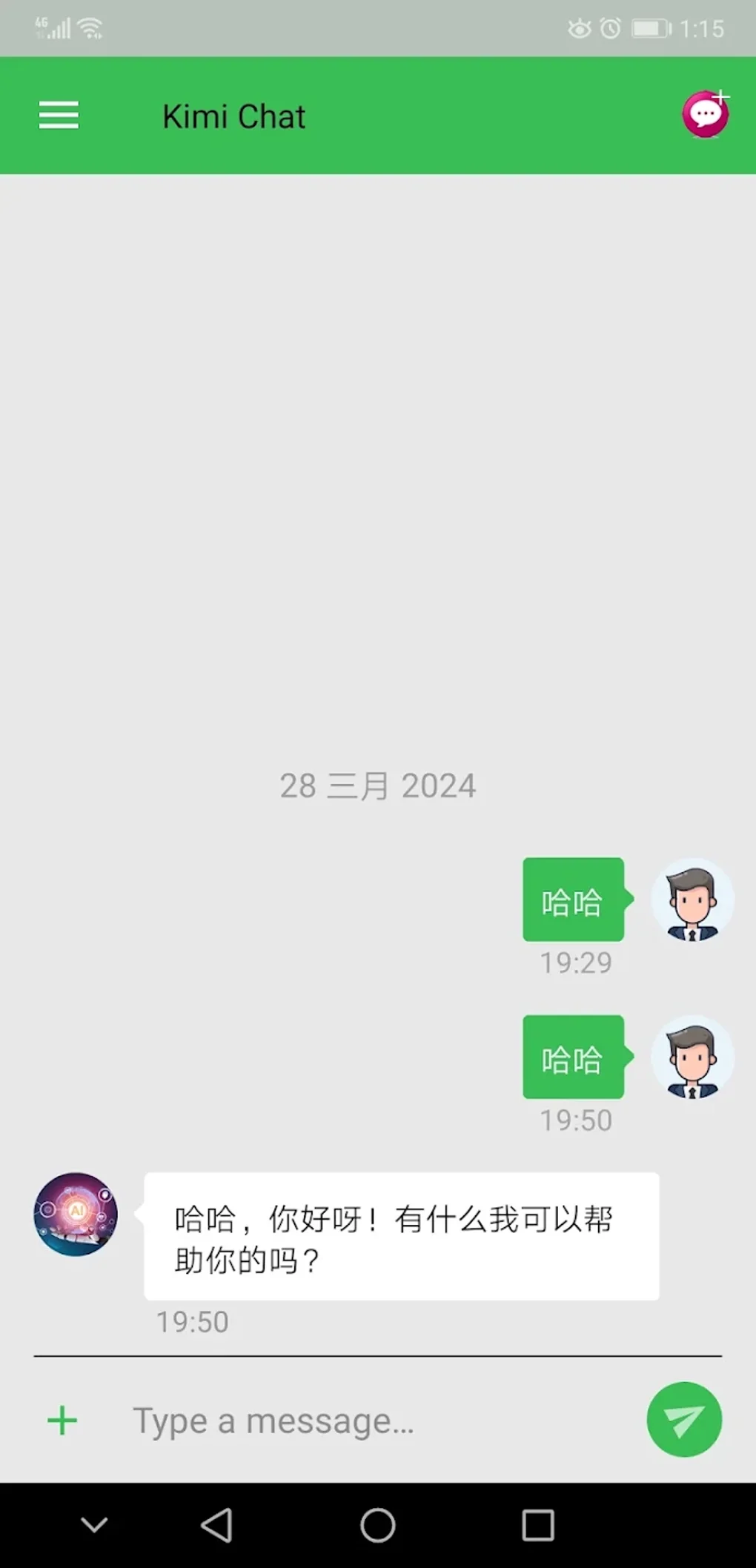
The user interface of kimi chat appears structured to support efficient navigation and task execution. Core functions are likely accessible through a clean dashboard or sidebar, allowing users to switch between search, file processing, and organization modes seamlessly. The workflow is designed to minimize steps—users can upload files, initiate analysis, and receive structured outputs in a few clicks. Navigation is expected to be intuitive, with logical grouping of tools and consistent visual cues. The app is intended for use in continuous work sessions, suggesting a focus on stability and responsiveness. However, exact performance details were not specified. The developer did not provide information on CPU or RAM usage, nor did they disclose stability metrics. General software behavior patterns suggest that the application may operate efficiently on modern systems, but this cannot be confirmed. The developer did not specify performance details. The app’s responsiveness during file processing or search operations remains unverified. Users should expect a standard desktop application experience, with minimal lag under normal usage conditions.
Compatibility & System Requirements
kimi chat is available as a desktop application, with compatibility information limited to the provided operating system. The software is designed to run on Windows and Mac platforms, though exact version requirements were not listed. The installation size is not specified, and the developer did not provide details on hardware requirements such as RAM, CPU, or disk space. Users should ensure their system meets general desktop application standards to avoid installation issues. The developer did not specify performance details. Platform compatibility information is limited. The developer did not provide information on offline functionality. The developer did not specify the license type. For users seeking a secure and reliable experience, it is recommended to install the software from official sources only.
Pros and Cons
Pros
- AI-powered real-time information search for up-to-date insights
- Efficient speed-reading and summarization of lengthy documents
- Supports multiple file formats for broad usability
- Organizes materials to enhance workflow clarity
- Assists in creative tasks with intelligent suggestions
Cons
- Initial learning curve due to extensive feature set
- Does not generate content independently—requires user input
- Exact system requirements not specified
- Performance and resource usage details not disclosed
- Offline functionality not confirmed
FAQ Section
Is kimi chat compatible with Windows and Mac?
Yes, kimi chat is designed for both Windows and Mac operating systems. However, specific version compatibility was not provided by the developer.
Can I use kimi chat without an internet connection?
The developer did not provide information on offline functionality. It is recommended to verify connectivity requirements before use.
Is kimi chat secure and private?
The developer did not specify details on file storage, data privacy, or security protocols. Users should exercise caution when uploading sensitive information.
How often does kimi chat receive updates?
The developer did not specify the update frequency. Users should check the official source for the latest version.
What types of files can kimi chat process?
kimi chat supports multiple file formats, including PDFs, Word documents, and spreadsheets. The exact list of supported formats was not disclosed.
Final Thoughts + CTA
kimi chat stands out as a powerful tool for individuals seeking to enhance their information-processing capabilities. Its blend of intelligent search, rapid file interpretation, and organizational support makes it a valuable asset for professionals and students alike. While the lack of detailed system requirements and performance data limits full transparency, the app’s core functionality is well-aligned with modern productivity needs. The interface appears intuitive, and the workflow is designed to reduce friction in complex tasks. Users who value efficiency and data-driven decision-making will benefit most from this software. Despite minor limitations in documentation, kimi chat delivers on its promise of intelligent assistance. For those aiming to work smarter and faster, this AI-powered tool offers a compelling solution. Download kimi chat now.
Guides & Tutorials for kimi chat APK
How to install kimi chat APK
- Click the Preview / Download button above.
- Once redirected, accept the terms and click Install.
- Wait for the kimi chat APK download to finish on your device.
How to use kimi chat APK
This software is primarily used for its core features described above. Open the app after installation to explore its capabilities.
User Reviews for kimi chat APK 0
No reviews found